

LM Uptime Overview
Last updated - 15 June, 2026
LogicMonitor uses LM Uptime to continuously monitor websites, servers, and networking hardware from multiple locations, providing the data you need to keep services responsive, reliable, and user-ready.
LM Uptime provides the following benefits:
- Easier Integration—Seamlessly add LM Uptime resources to resource groups, services, dashboards, and reports
- Property Inheritance—Automatically inherit properties like other resources
- Resource Explorer Access—Manage your checks directly in Resource Explorer
- Resource Groups Access—Manage your checks using Static and Dynamic groups
You can create LM Uptime resources from the Resources Tree.
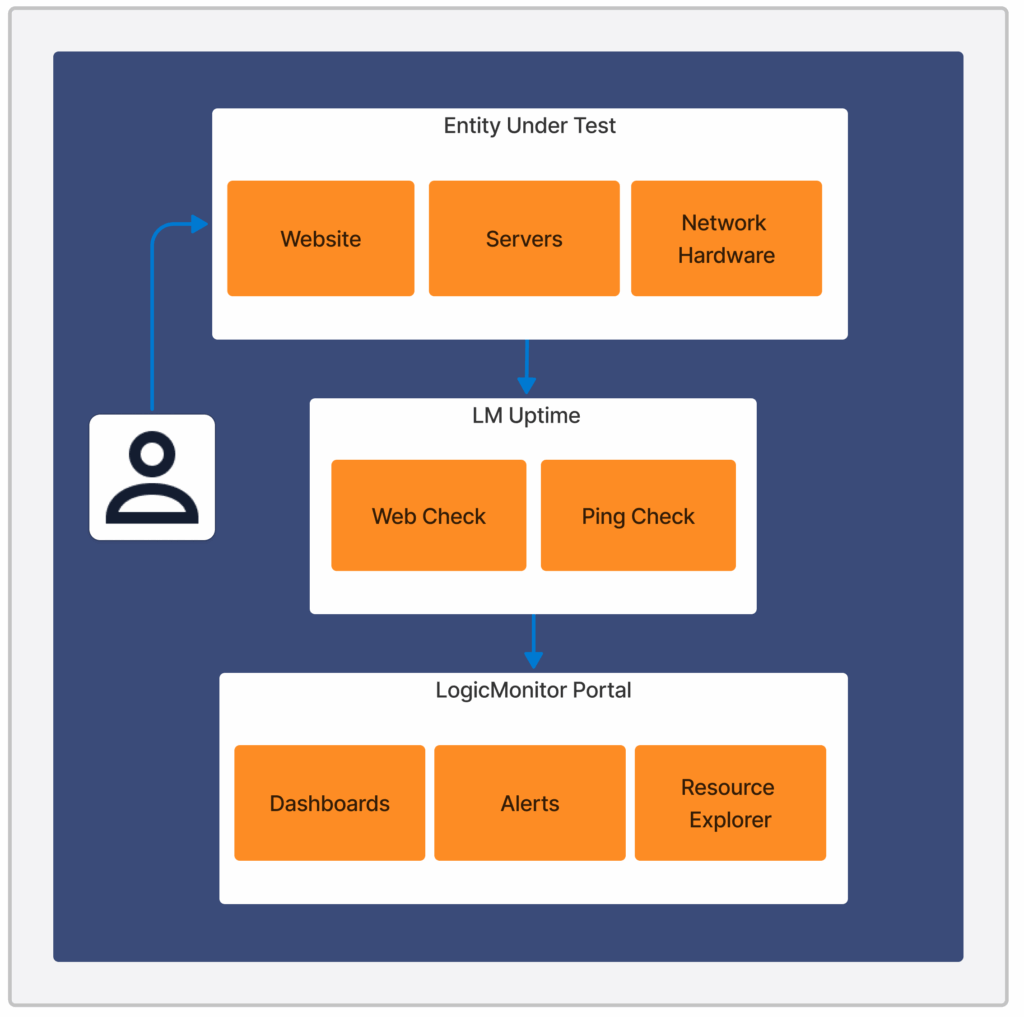
The following image illustrates the LM Uptime workflow:
General Requirements for Uptime
To use LM Uptime, you need the following:
- A user with “Manage” permission for Resources. For more information, see Resource Role Permissions.
- LM Uptime license edition
Installation of required DataSources such asWeb_Check_Individual,Web_Check_Overall,Ping_Check_Individual, andPing_Check_Overall- The required DataSources are available on LM Exchange
LM Uptime Polling and Collection Schedule Behavior
The Polling Interval configured on a Web Check or Ping Check resource and the Collection Schedule configured on the associated LM Uptime DataSource serve different purposes. The Polling Interval controls how often the uptime check runs against the monitored endpoint, while the DataSource Collection Schedule supports backend alert evaluation and processing.
The Polling Interval determines how frequently LM Uptime runs the Web Check or Ping Check and collects uptime data. It also provides the timing basis used when calculating alert state transitions.
The LM Uptime DataSource Collection Schedule is fixed at one minute to keep backend alert evaluation synchronized with polling-based alert transition calculations. Changing this schedule can introduce timing inconsistencies between uptime check execution and alert processing. Regardless of the Collection Schedule, uptime checks continue to run according to the Polling Interval configured on the Web Check or Ping Check resource.
